
Registry Directions
Add Items to Your Registry & Earn Points!
If you're having trouble understanding the registry, follow these steps to ensure that when you buy off your friend or familys registry, YOU EARN POINTS!
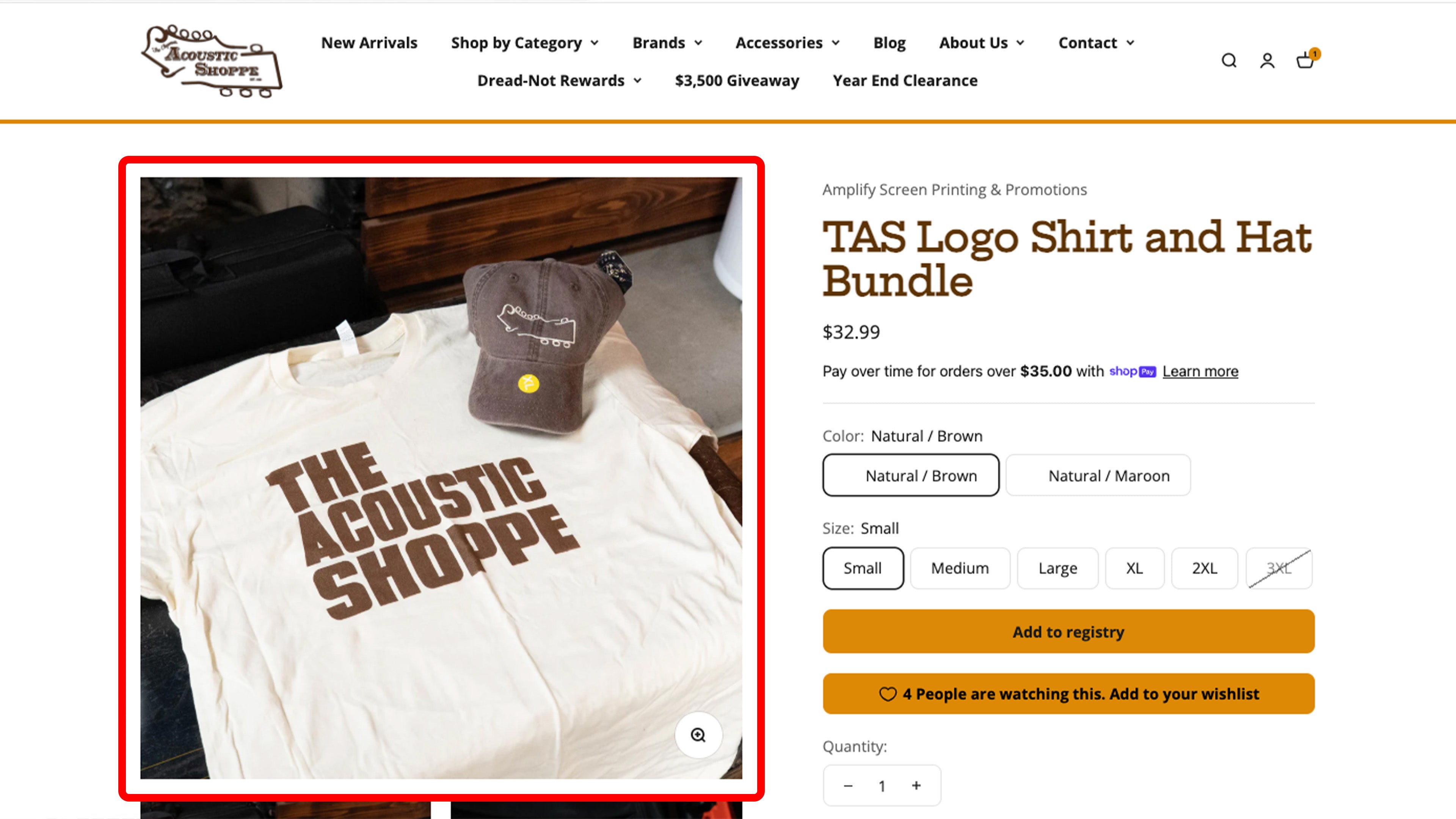
Step 1
Pick your item that you want to add to your registry
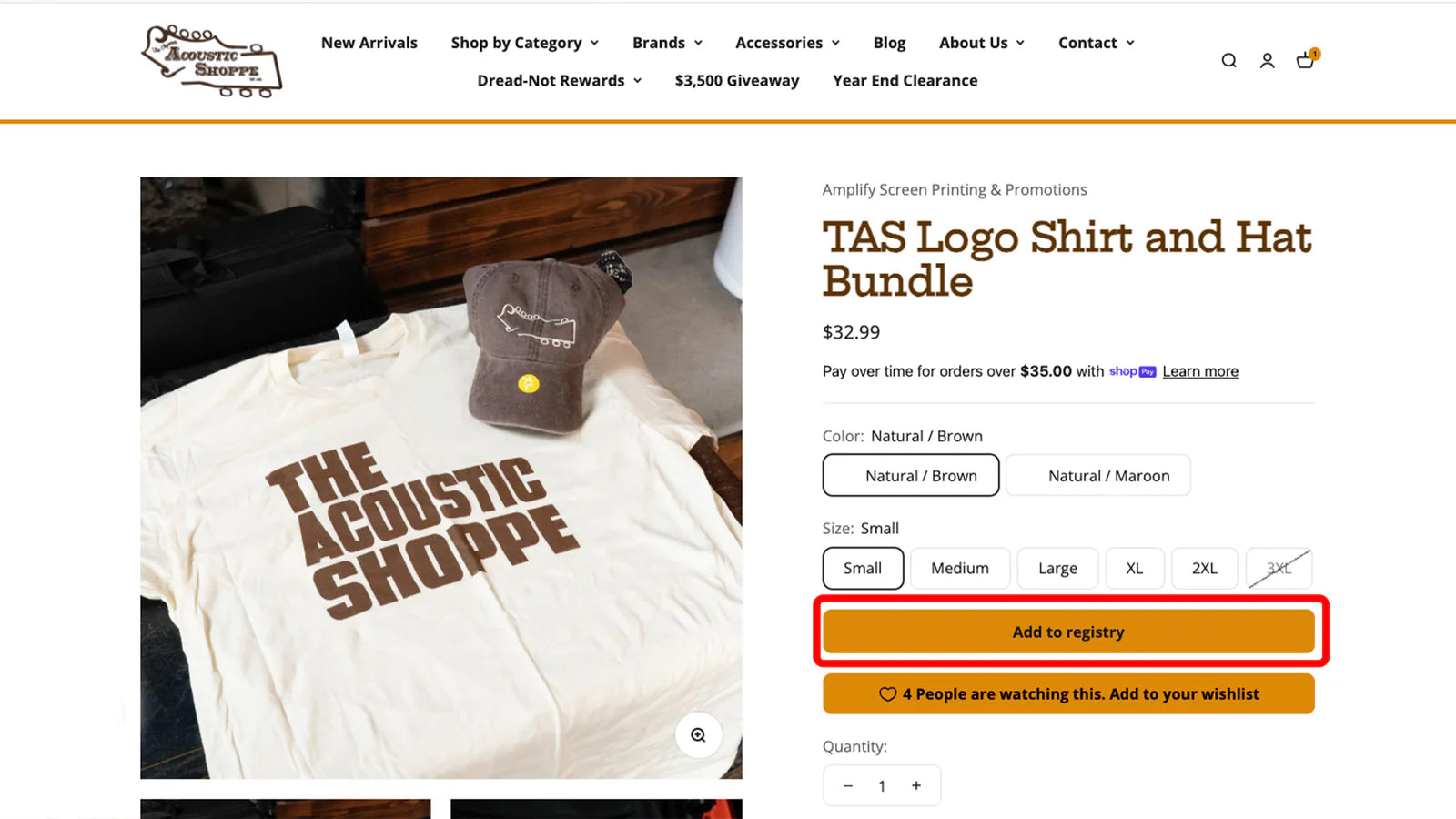
Step 2
Select " Add to Regiestry"
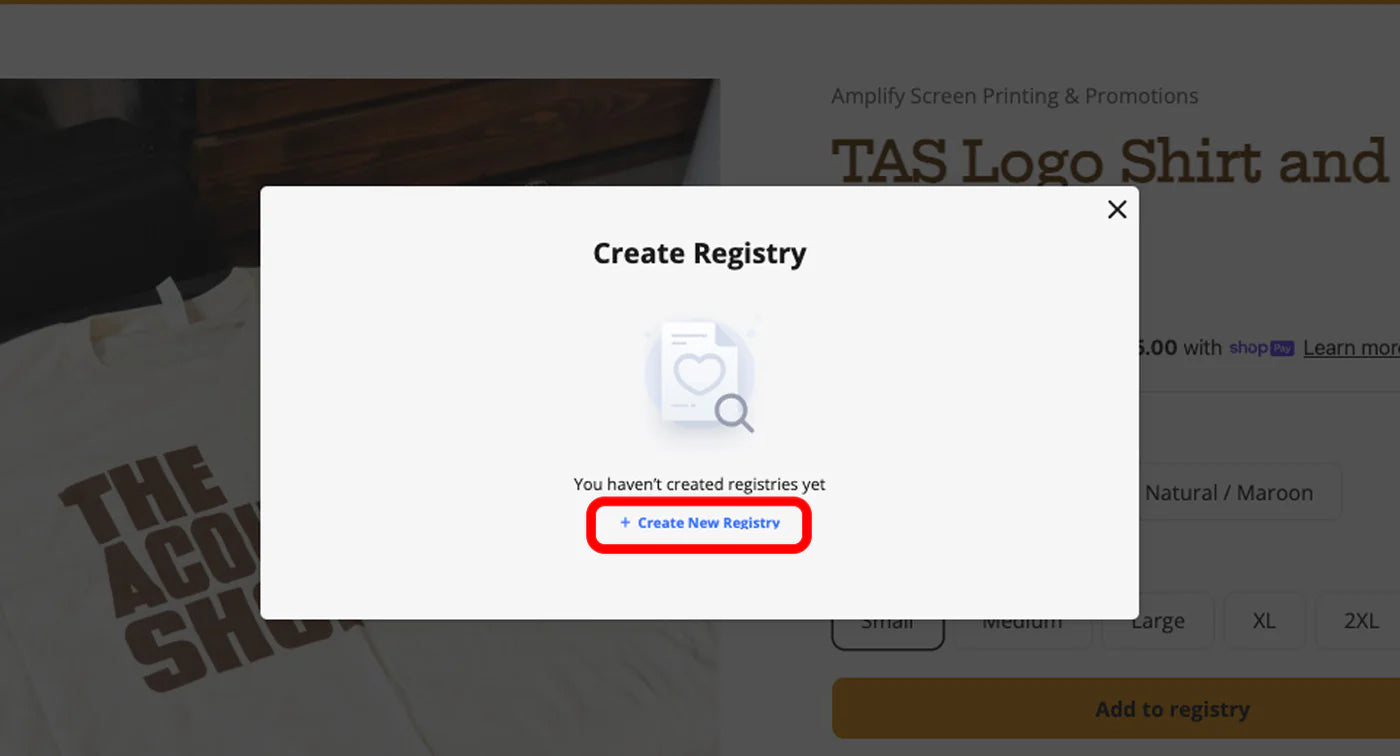
Step 3
Select " Create New Registry"
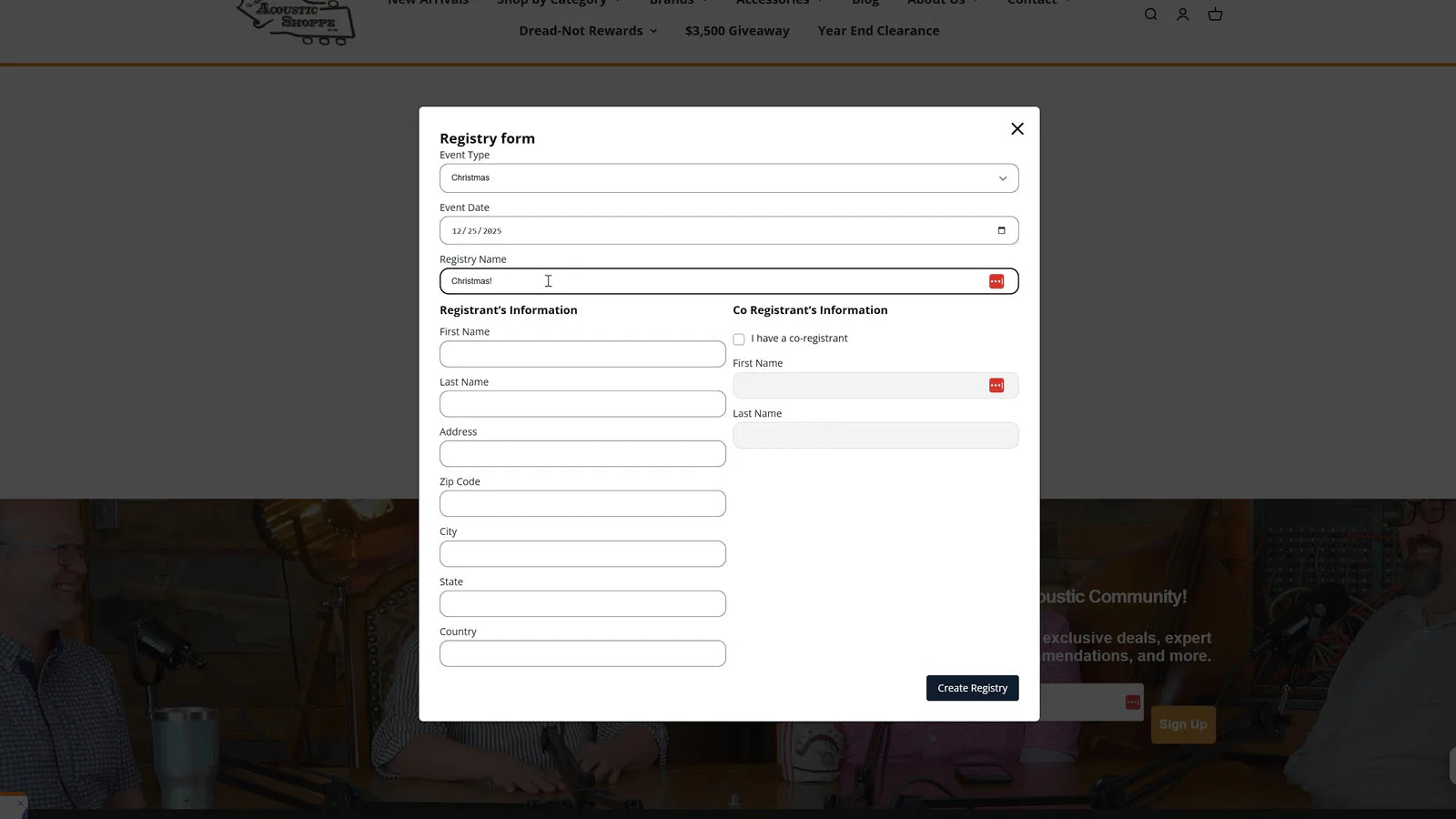
Step 4
Fill Out Sections
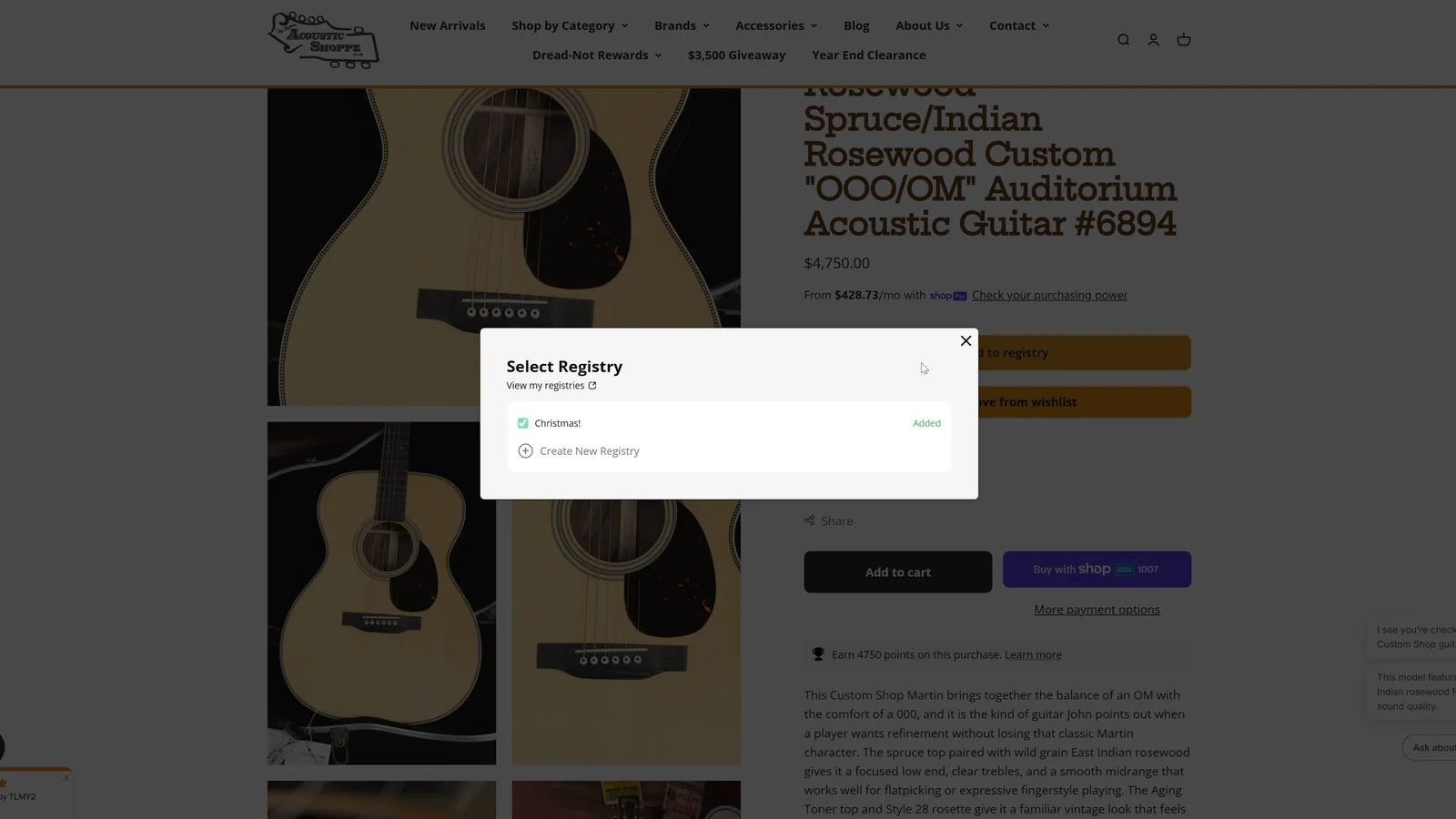
Step 5
Chose which registry to put your item in
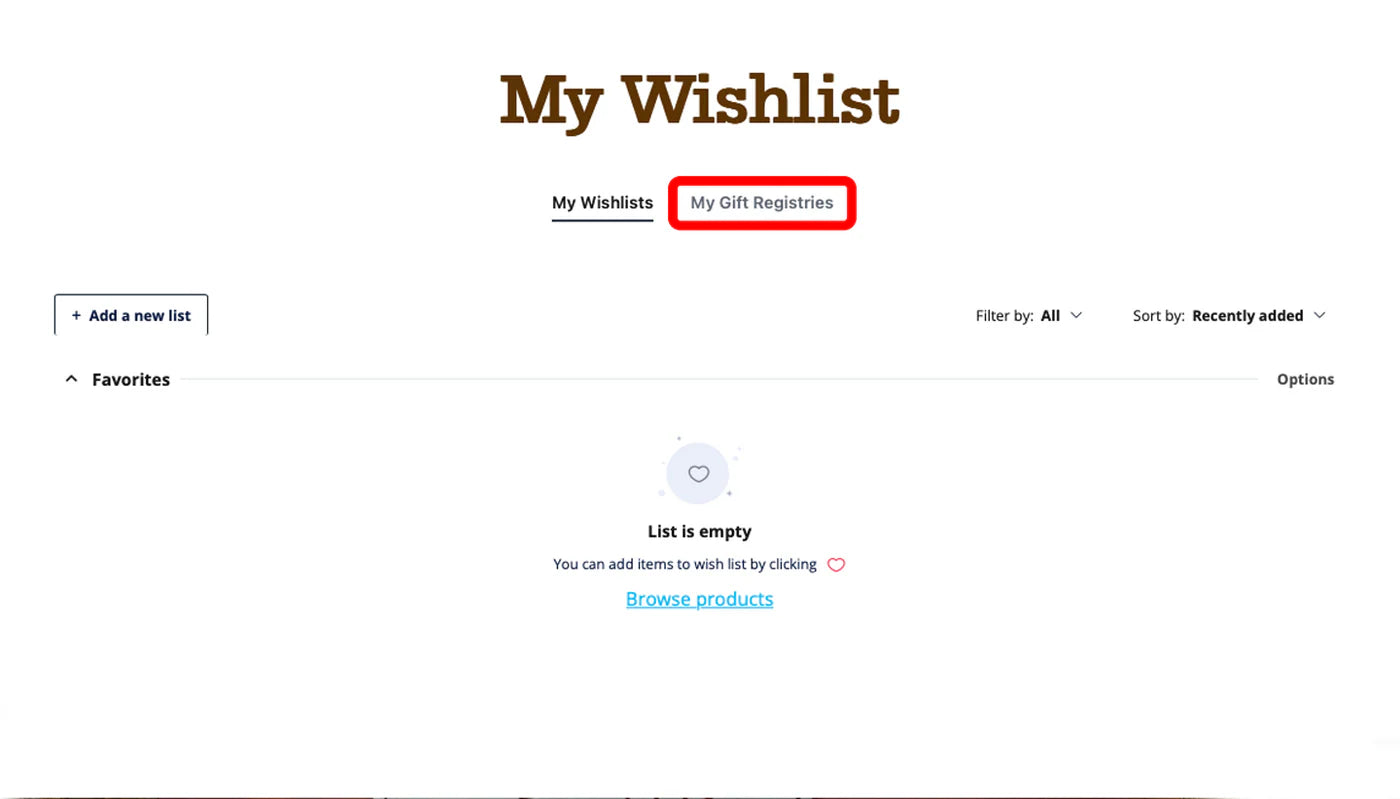
Step 6
When on your Wishlist - select "My Gift Registries"
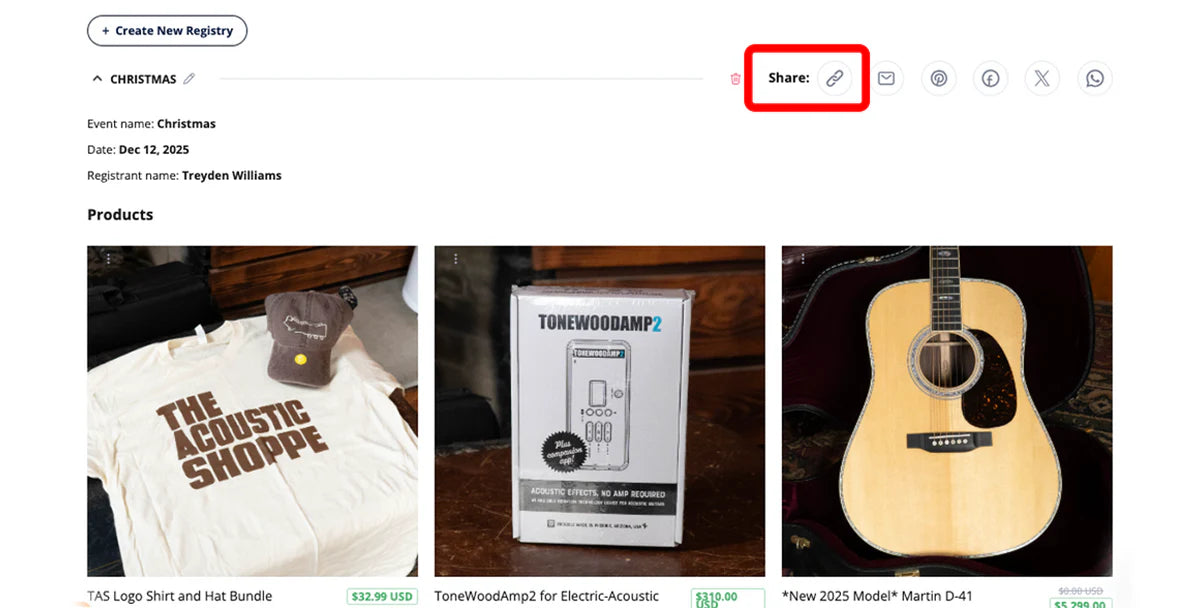
Step 7
Find the copy link - Select and Share with your friends and family!
Step 8
When a friend or family member orders* directly from your registry they earn points!
*If you select another item not from the registry, add it to the registry and return to the link to order, or else you will not receive points upon checkout. A wishlist is not the same as a registry, make sure you save your items to the registry